
Product
Core Platform
Analytics Platform AI SDLC Diagnosis AI Agent MCP Server Keypup API Capabilities
DORA Metrics Issue Cycle Time Team Benchmarking AI Usage Monitoring Connect
View Integrations →  Model Context Protocol
Introducing the Keypup MCP Server
Plug Keypup's engineering analytics directly into Claude, Cursor, Kiro, VS Code, ChatGPT Desktop, Gemini CLI or any MCP-compatible AI assistant. Ask questions in plain language, and let the AI build and run the queries for you—no code, no SQL, no complexity.

A focused toolkit that lets AI explore and query your engineering data
List the companies (teams) you belong to and access your organizational data
Browse available datasets: issues & PRs, commits, comments, reviews, activity events
List available functions and operators for building metrics, dimensions, and filters
Execute aggregated queries with metrics, dimensions, filters, sorting, and pagination
Turn plain-language requests into ready-to-run structured queries automatically
"Show me bug resolution time by team"
Lists companies, picks dataset, looks up fields
Constructs query, executes, and formats results
Clear summary with actionable data
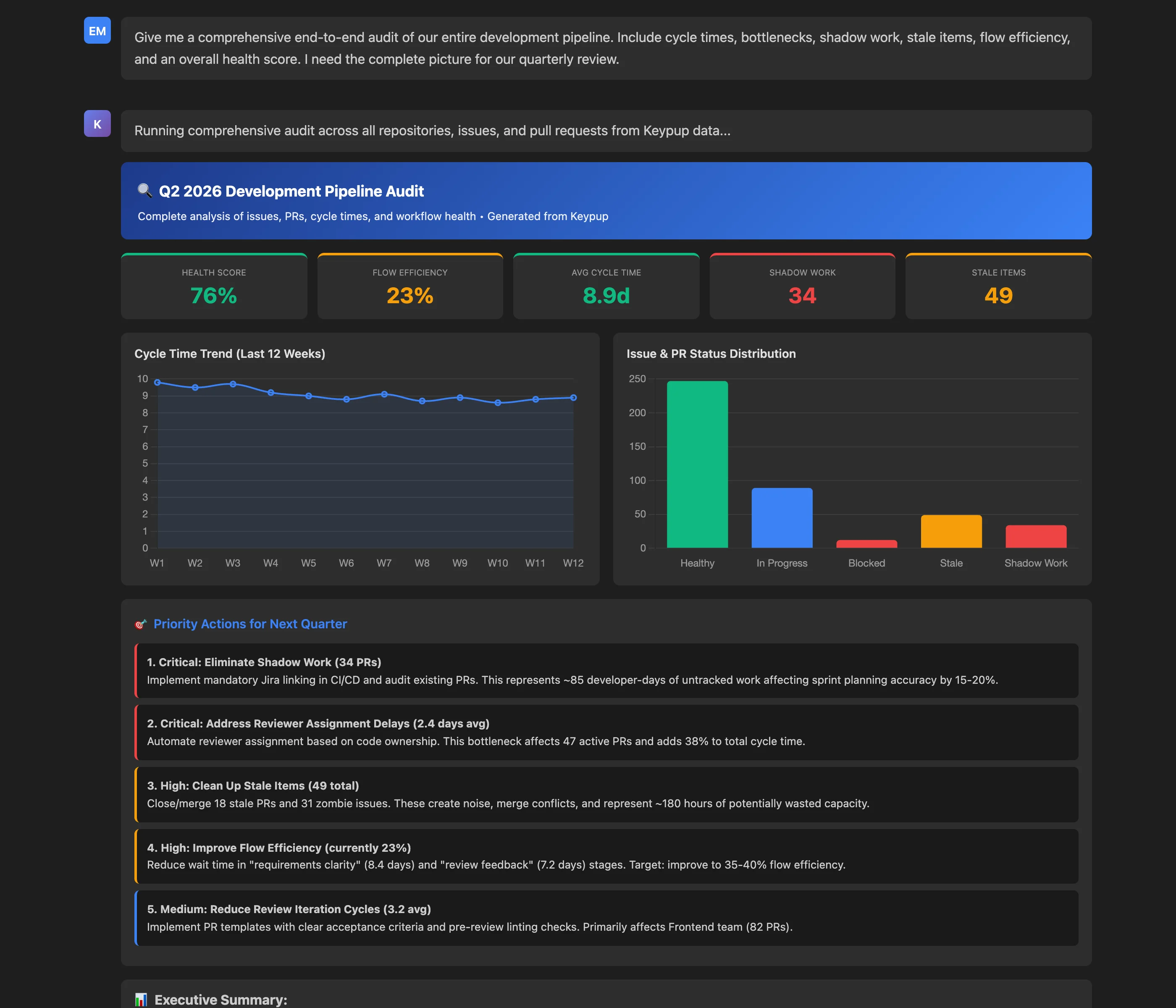
Real-world queries that the MCP server handles seamlessly
Refine iteratively: Once you have results, you can ask follow-ups like "now break that down by repository" or "restrict it to the backend team."
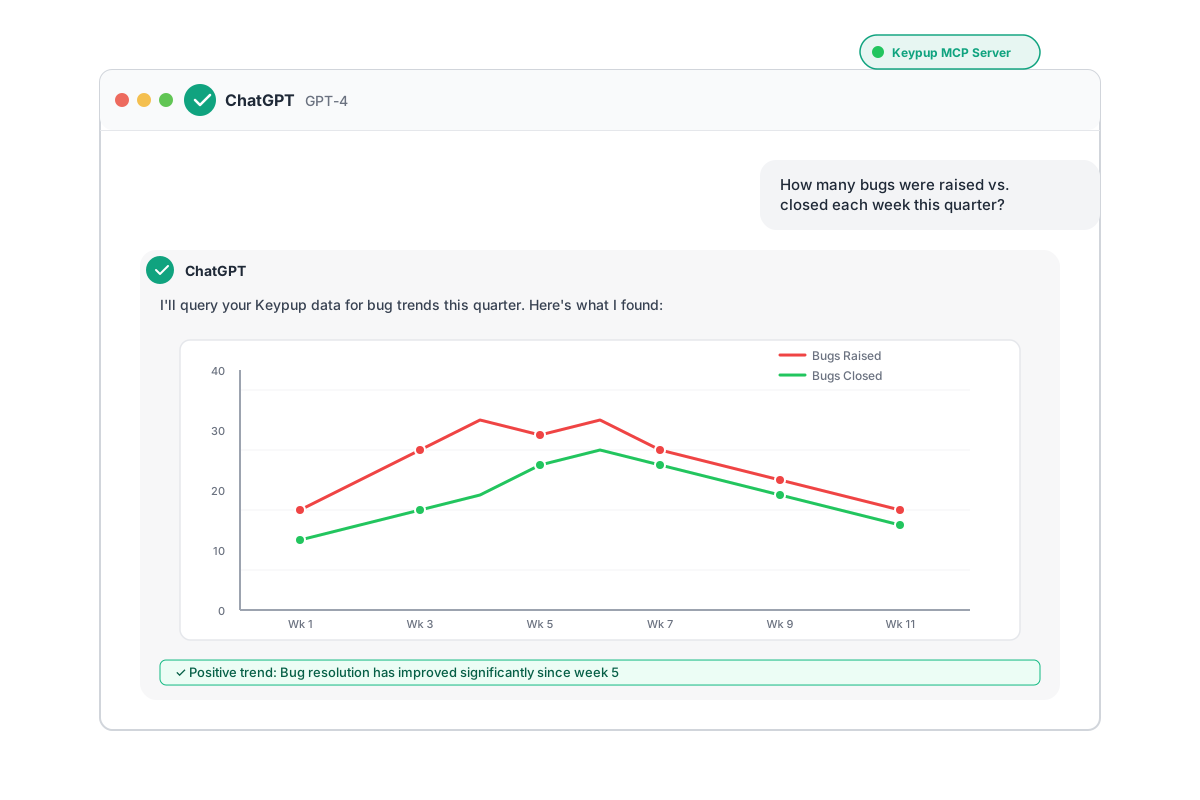
Get started with Keypup MCP server in three simple steps
Create a secure API token with the right permissions:
Reports read + Companies readAdd Keypup to your MCP client configuration (e.g., Claude Desktop, Cursor):
{
  "mcpServers": {
    "keypup": {
      "url": "https://hq.keypup.io/mcp",
      "headers": {
        "Authorization": "Bearer YOUR_API_TOKEN_HERE"
      }
    }
  }
}
Important: Replace YOUR_API_TOKEN_HERE with your actual token. Keep the Bearer prefix.
Restart your MCP client and verify the Keypup tools are available:
You're all set! The AI will automatically orchestrate the right tools to answer your questions.
Check out the complete documentation or contact our support team.
Treat your API token like a password. Store it securely in your local MCP client configuration and never commit it to version control.
Generate a token, add config, start querying. No complex installation required.
Ask in plain English—no SQL, no GraphQL, no query language to learn.
Works with Claude, Cursor, Kiro, ChatGPT Desktop, and any MCP-compatible client.
The AI automatically orchestrates tools, builds queries, and summarizes results.
Set up the Keypup MCP server in minutes and start exploring your engineering analytics conversationally.
