
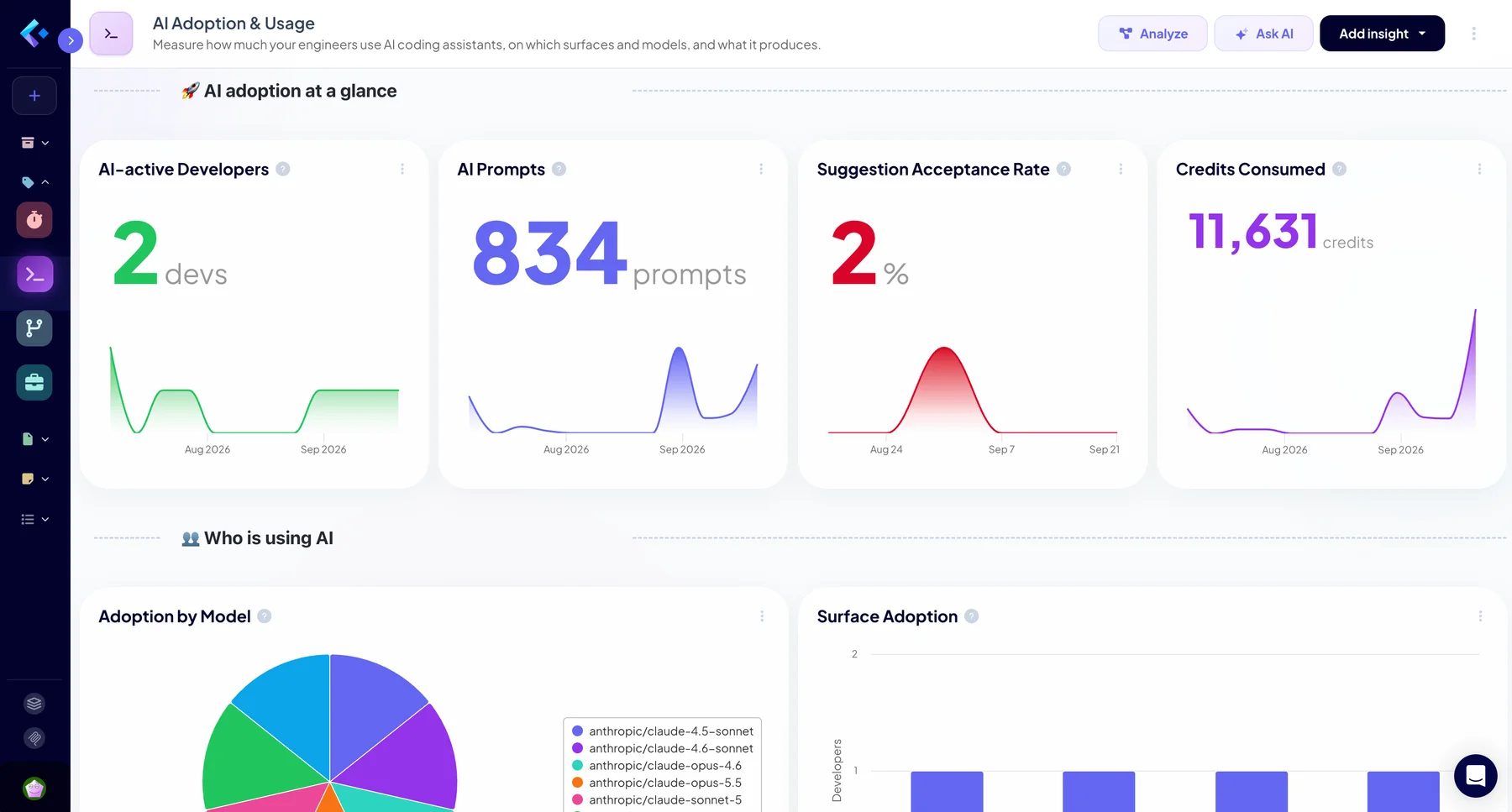
Your engineers use AI coding assistants every day, but how much, on which tools, and with what result? Until now, the answer lived in each vendor's admin console, impossible to compare and disconnected from your delivery data. Keypup's AI Usage & Monitoring Dashboard brings it all into one place: who uses AI, how much, on which surfaces, models and languages, and how much of the code it suggests actually lands in your codebase.
Built on the AI Usage dataset, the dashboard sits right next to the pull requests, reviews and commits your team already tracks in Keypup, so AI adoption can finally be measured instead of argued about.
Turn AI Adoption Into Facts You Can Act On
Key Features of the AI Usage & Monitoring Dashboard
- One view across AI assistants: AI usage is stored in a single dataset with the same fields for every provider. GitHub Copilot is available today, with up to one year of history imported on the first sync. Anthropic Claude, Cursor and OpenAI are coming next.
- Daily, granular data: Every metric is broken down by day, developer, model, surface (IDE completion, chat, agent mode, CLI, code review), client and language.
- Ready in minutes: Enable the Copilot Metrics project in your GitHub integration, add the template, and the dashboard fills itself. No scripts, no exports, no spreadsheets.
AI Adoption at a Glance
The top of the dashboard answers the first question every engineering leader gets asked: are we actually using the AI tools we pay for?
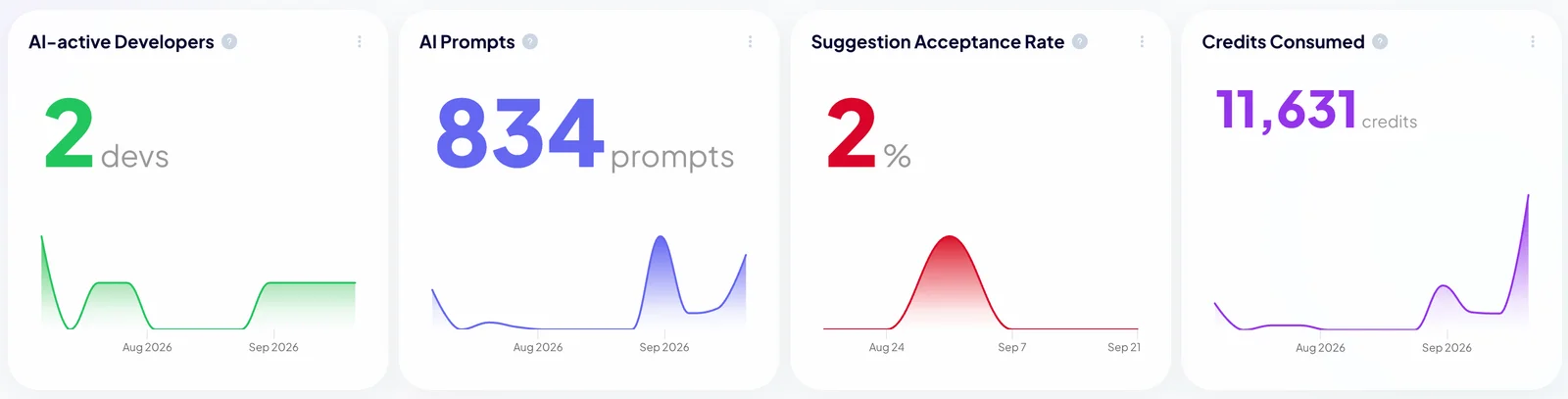
- AI-active Developers: Track how many engineers use AI assistants over time, and spot licences that sit unused.
- AI Prompts: Measure the volume of interactions your team has with AI assistants, and see adoption grow (or stall) after a rollout.
- Suggestion Acceptance Rate: Follow the share of AI suggestions your engineers keep. A rising rate means the tool is earning its place in the workflow.
- Credits Consumed: Monitor AI credit consumption, so usage-based plans never come as a surprise.
Who Is Using AI
- Adoption by Model: See which models your engineers rely on, and how preferences shift as new models are released.
- Surface Adoption: Count the developers using each surface, from IDE completion to agent mode, CLI and code review.
Where and How AI Is Used
Usage volume only tells half the story. This part of the dashboard shows where AI fits in your workflow, and how much of its output reaches production.
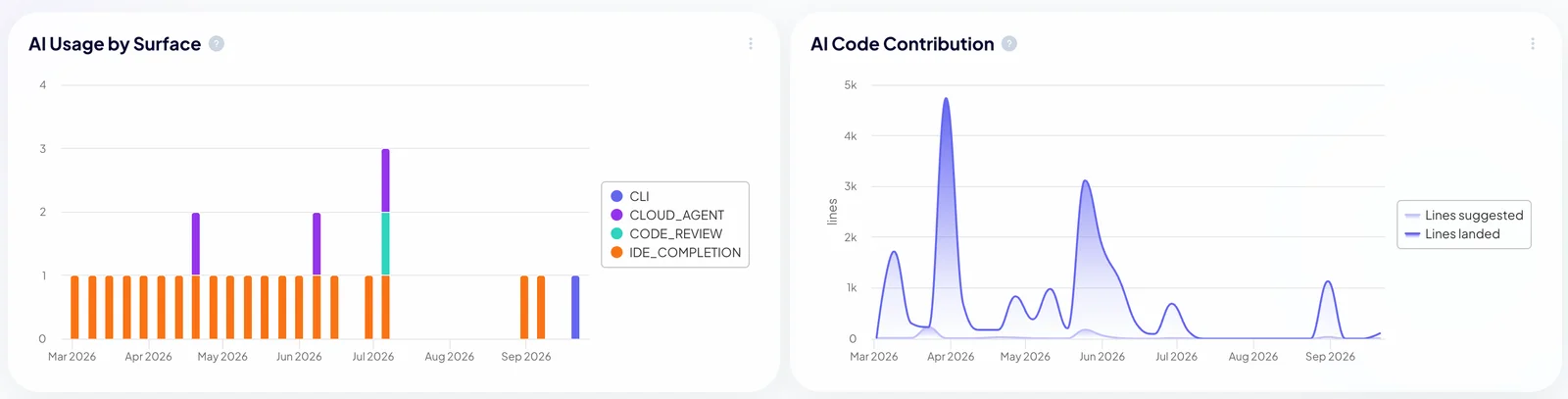
AI Usage by Surface: Follow usage across IDE completion, cloud agents, CLI and code review over time, and see whether agent mode is replacing autocomplete.
AI Code Contribution: Compare the lines AI suggests with the lines that actually land, to measure the real contribution of AI to your codebase.
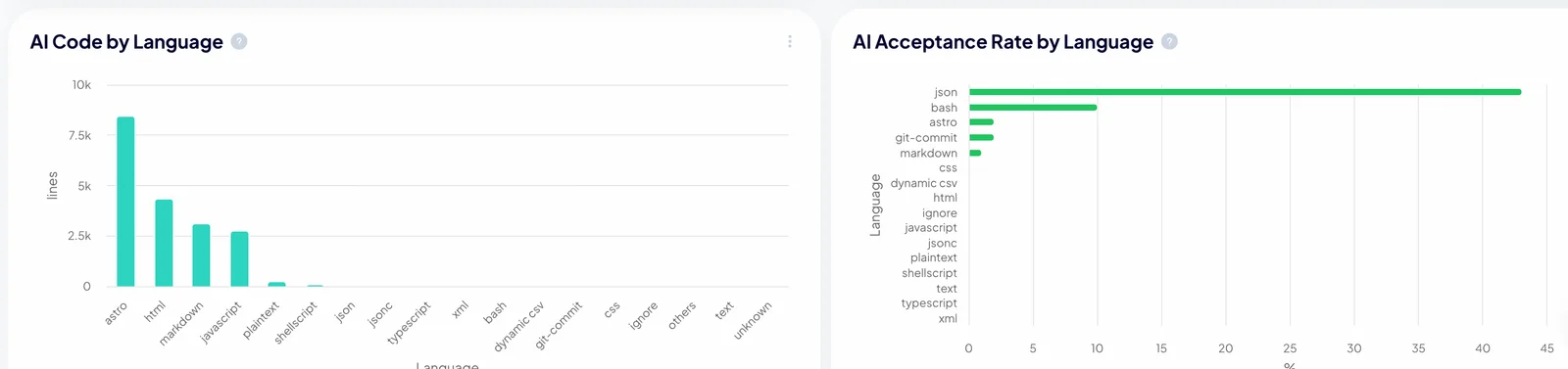
AI Code by Language: Find out which languages get the most help from AI.
AI Acceptance Rate by Language: Spot the languages where AI suggestions are trusted, and the ones where engineers throw most of them away.
The Strategic Advantage of Monitoring AI Usage
AI coding assistants are now a significant line in every engineering budget. With Keypup's AI Usage & Monitoring Dashboard, you can:
- Justify the spend: Show leadership exactly who uses AI, how much, and how much of its output lands in your codebase.
- Drive adoption where it matters: Identify teams, surfaces and languages where AI is underused, and focus enablement efforts there.
- Connect AI to delivery: Because AI usage lives next to your pull requests and reviews, you can compare adoption with cycle time, review load and throughput in the same insights. Pair this dashboard with Measure AI Impact to see whether AI makes your team ship faster.
- Trust your numbers: When a provider does not publish a measure, Keypup shows it as not available rather than zero, and restated days are updated in place, never duplicated.
Ask Your AI Assistant
The AI Usage dataset is also available in the Keypup AI Agent, the API and the MCP server. Ask your AI assistant "Which models do our engineers use most, and has our acceptance rate improved this quarter?" and get an answer built on your real data.
Start monitoring AI usage today: add the AI Usage & Monitoring Dashboard to your Keypup workspace in one click.