How to Consolidate Azure DevOps and GitHub Data into a Single Engineering Dashboard
📌 Executive Summary (The Hybrid Visibility Gap)
Migrating from Azure DevOps to GitHub is rarely a "big bang" event. Most enterprises face a months-long transition where development data is split across two systems. This fragmentation creates a massive visibility gap, making it impossible to track overall effort, efficiency, or bottlenecks. This guide shows you how to bridge that gap using Keypup's Unified Engineering Intelligence.
The transition from Azure DevOps (ADO) to GitHub is a strategic move for most modern engineering organizations. However, during the "Migration Middle Ground," your SDLC data becomes fragmented.
Half your teams are in GitHub Actions; the other half are still in ADO Pipelines. Some PRs are in GitHub, but critical legacy work items remain in Azure Boards. Without a unified dashboard, your DORA metrics are broken, and your leadership team is flying blind.
Here is how to consolidate these two giants into a single, cohesive source of truth.
The Challenge: Different Languages, Same Goal
Azure DevOps and GitHub speak different "languages." A "Work Item" in Azure isn't exactly an "Issue" in GitHub. "Areas" and "Iterations" don't map perfectly to "Labels" and "Milestones." This semantic gap is the primary reason why manual consolidation fails.
To keep tracking overall effort and outcomes consistently, you need a Unified Data Model. Instead of building custom ETL pipelines (which break every time an API updates), Keypup acts as the translation layer, normalizing metadata from both platforms into one schema.
Solving the "Naming Convention" Nightmare
When teams coexist in two systems, tagging discipline usually collapses. You might have "High Priority" in ADO but "p0" in GitHub.
🔍 The Data Hygiene Solution
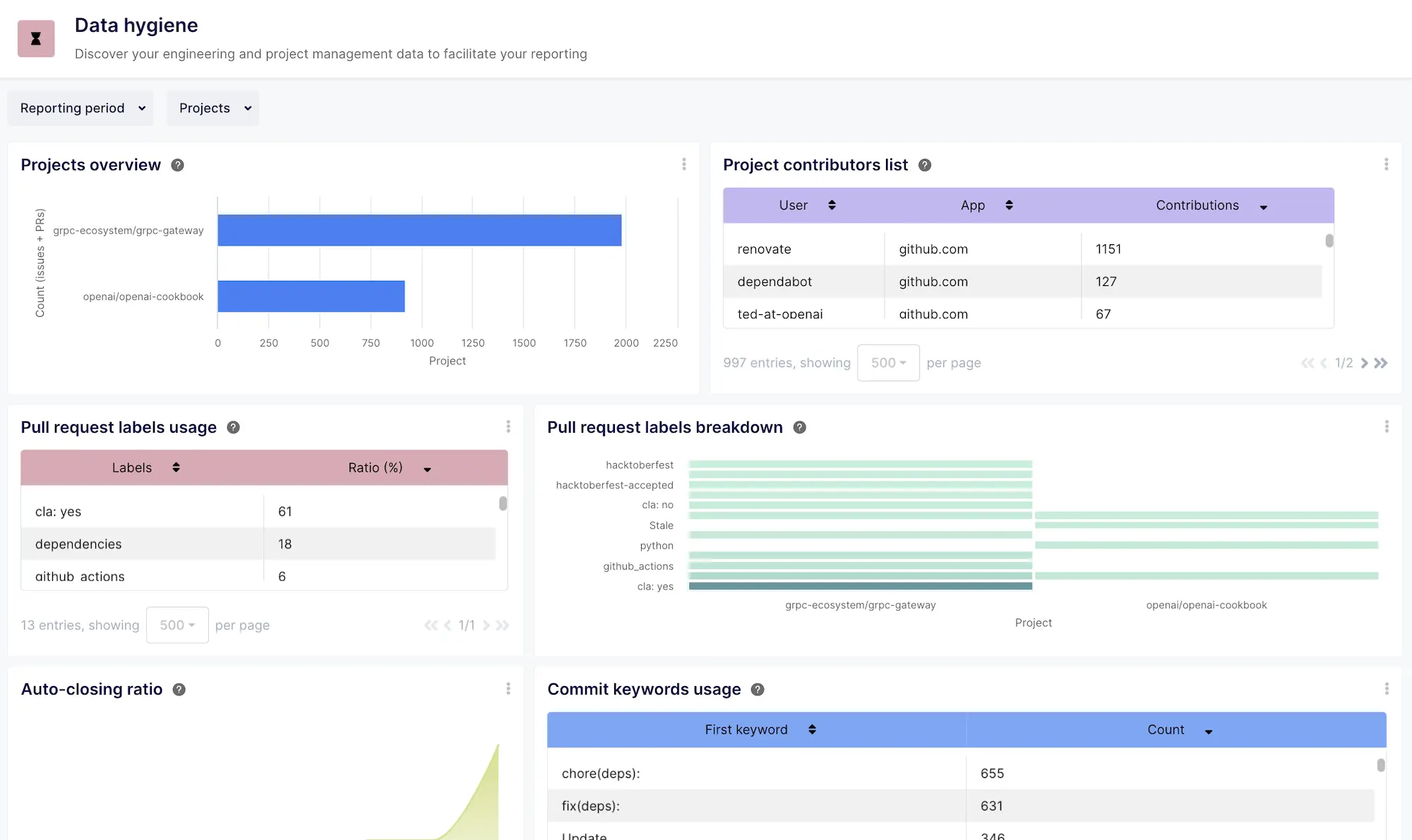
Keypup’s Data Hygiene Dashboard is specifically designed to identify these discrepancies. It offers immediate visibility into naming convention conflicts, missing fields, or orphaned tickets across both platforms. During a migration, this dashboard becomes your mission control for aligning "Azure Areas" with "GitHub Labels," ensuring that your consolidated reports are actually accurate.
Ensuring Data Integrity: The Exploration Pillar
Consolidating data is one thing; trusting it is another. When you are moving from Azure DevOps to GitHub, data conflicts are inevitable. Perhaps a ticket was duplicated, or a contributor has a different email alias in each system.
If you can't see how the data is being mapped, you can't trust the resulting metrics.
🛠️ The Dataset Exploration Advantage
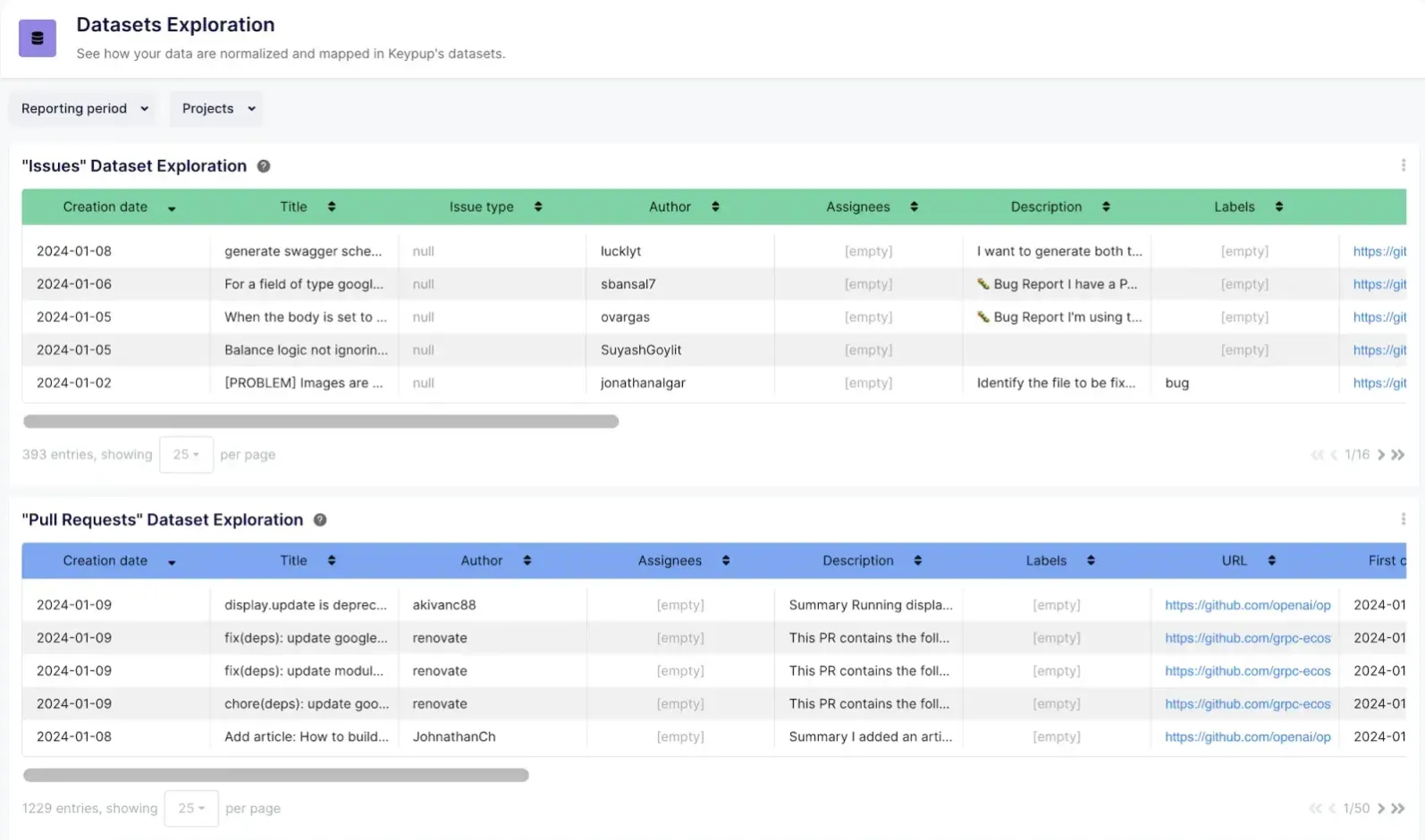
Keypup’s Datasets Exploration Dashboard allows users to drill down into the actual datasets to see exactly how their ADO and GitHub data map to the unified Keypup schema. This is a critical tool for spotting data discrepancies—such as mismatched timestamps or status mapping errors—ensuring total data integrity and preventing "data drift" during the transition phase.
3 Pillars of a Consolidated Engineering Dashboard
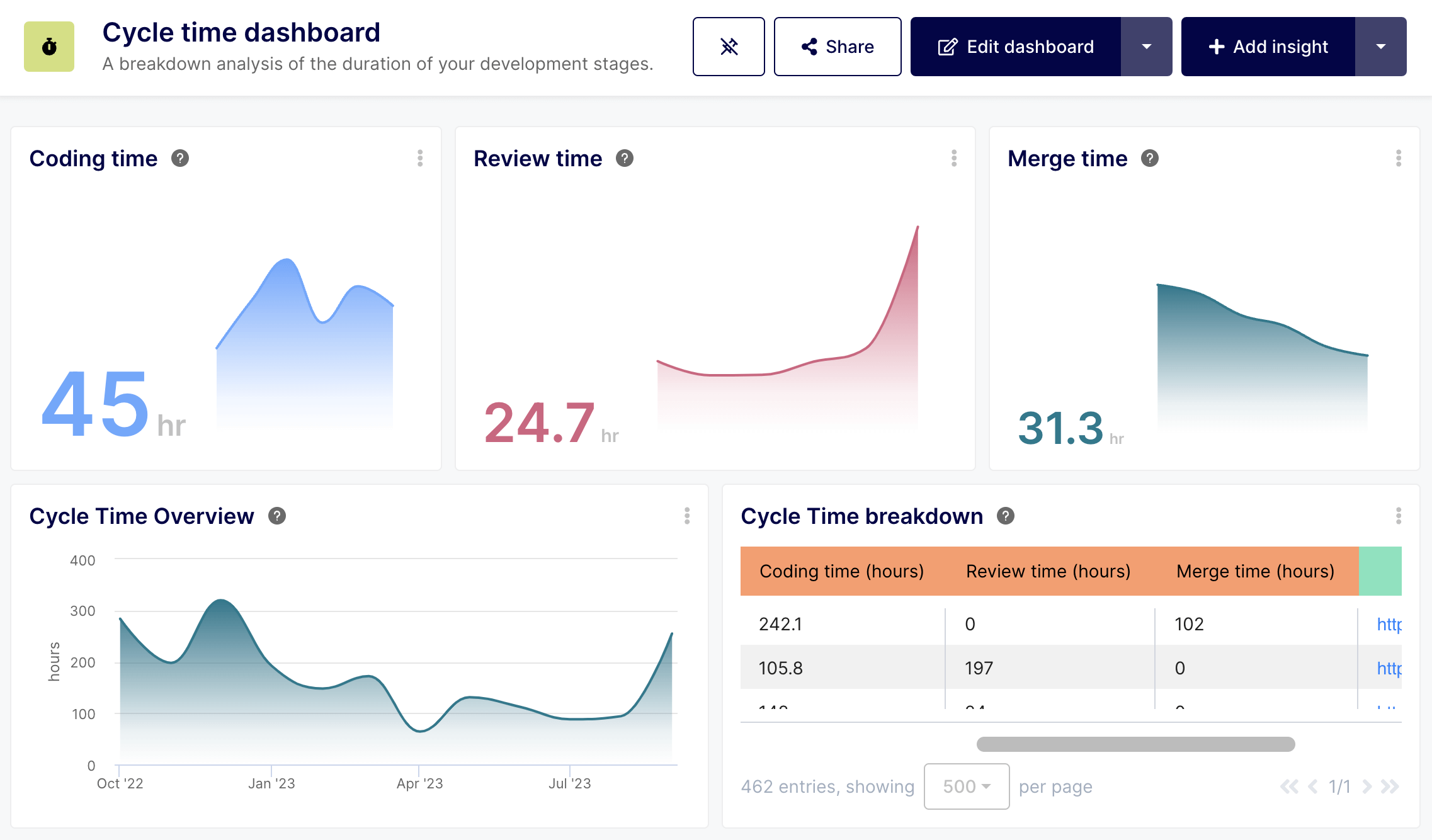
1. Unified Cycle Time (The "Velocity" Pillar)
You need to know how long it takes to move an idea to production, regardless of where the code sits.
- The Goal: A single chart showing Cycle Time averages across ADO-based teams and GitHub-based teams.
- The Impact: Identify if the migration itself is slowing down delivery or if specific teams are struggling with the new GitHub workflow.
💡 Why this matters for SDLC Efficiency
During a migration, "context switching" is the number one productivity killer. Tracking unified cycle time allows you to see if the learning curve in GitHub is causing a temporary bottleneck compared to the legacy ADO setup.
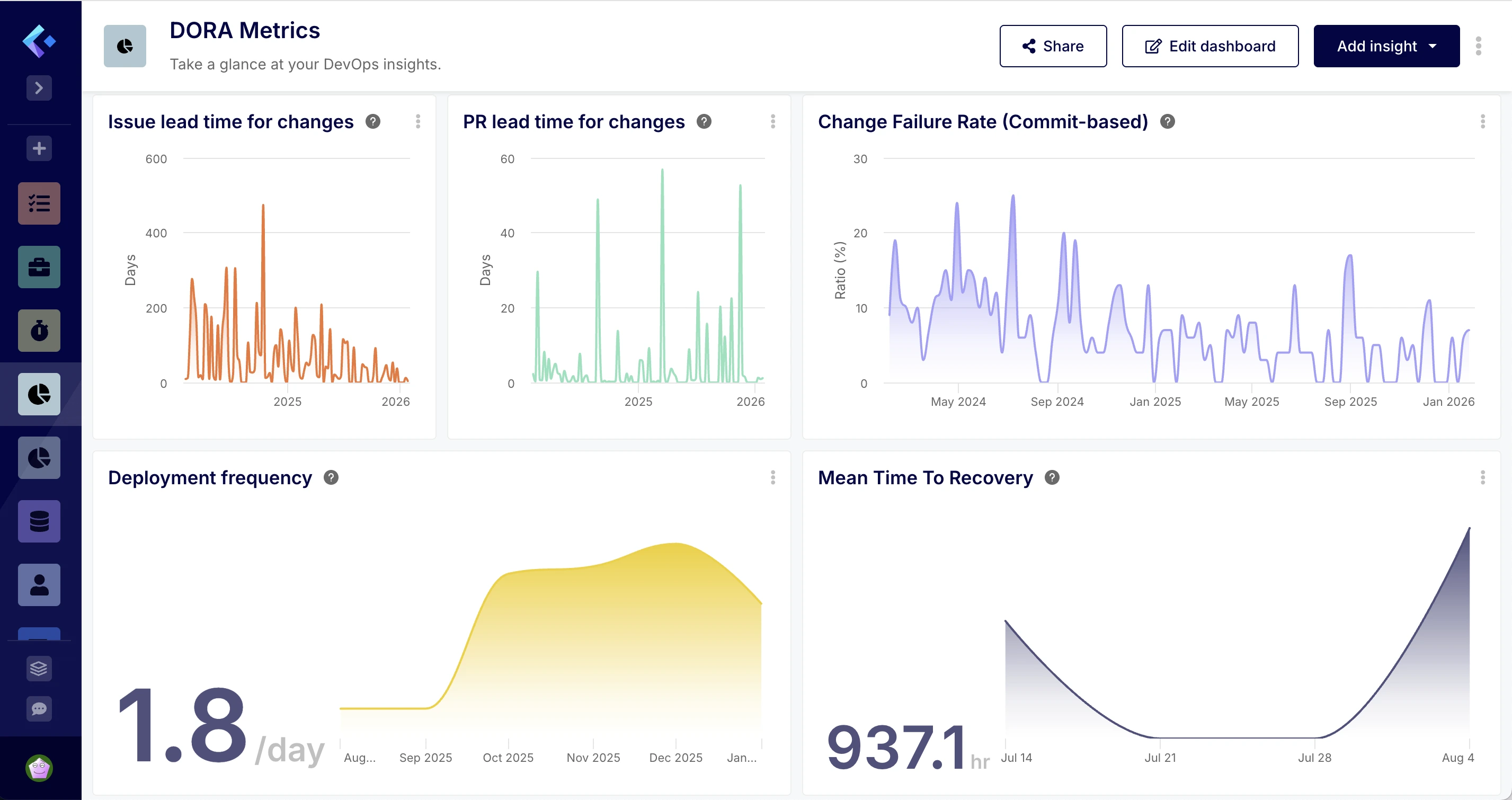
DORA metrics (Deployment Frequency, Lead Time for Changes, MTTR, and Change Failure Rate) are the gold standard for DevOps health.
- The Goal: Aggregate ADO Pipeline releases and GitHub Actions deployments into a single "Global Deployment Frequency" metric.
- The Impact: Maintain compliance and performance reporting for stakeholders without manual spreadsheet merging.
3. Resource Allocation & Effort Tracking
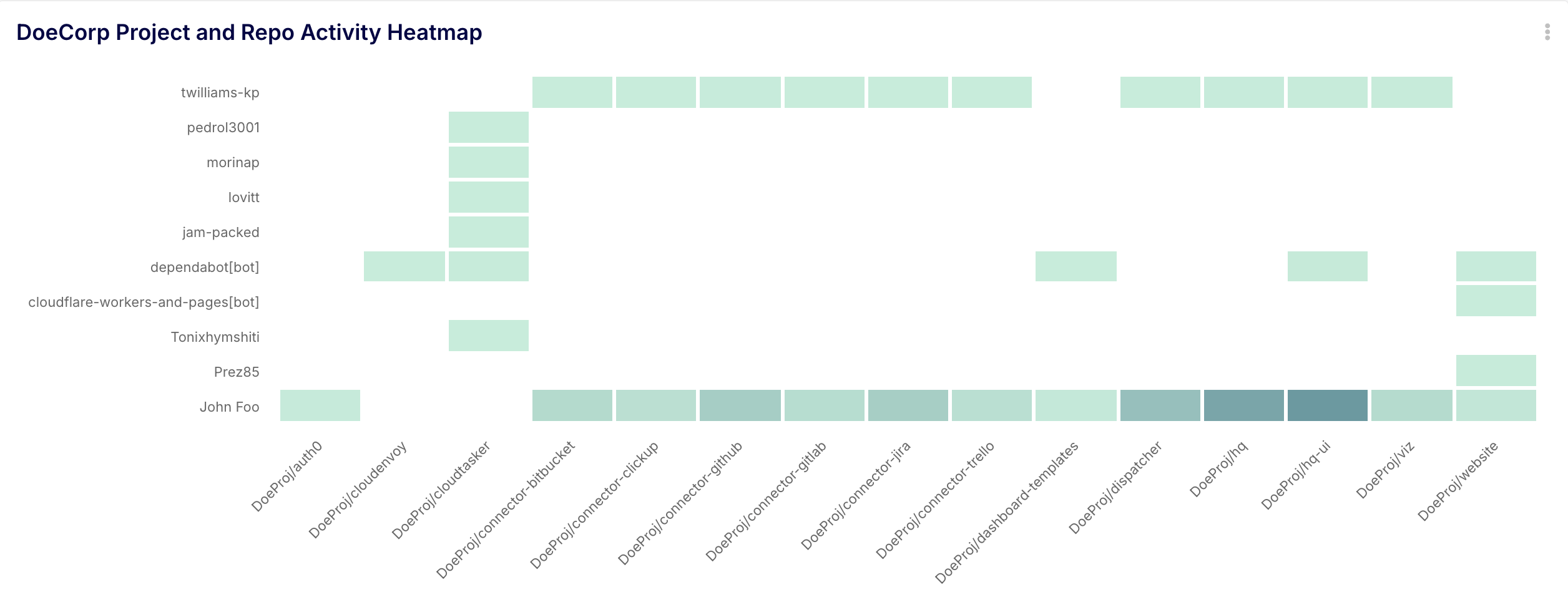
Are your engineers spending 80% of their time on legacy ADO maintenance and only 20% on the new GitHub initiatives?
- The Goal: A "Heatmap" of activity across both platforms.
- The Impact: Data-driven proof to stakeholders that more resources are needed to accelerate the migration.
Unleashing the Keypup AI Agent on Your Hybrid Data
The true power of consolidation lies in the ability to query your entire ecosystem using natural language. When your data is consolidated in Keypup, the AI Agent treats the two systems as one.
Here are three high-value prompts to run during your migration:
AI Prompt 1: The "Unified Bottleneck" Query
🤖 You Ask:
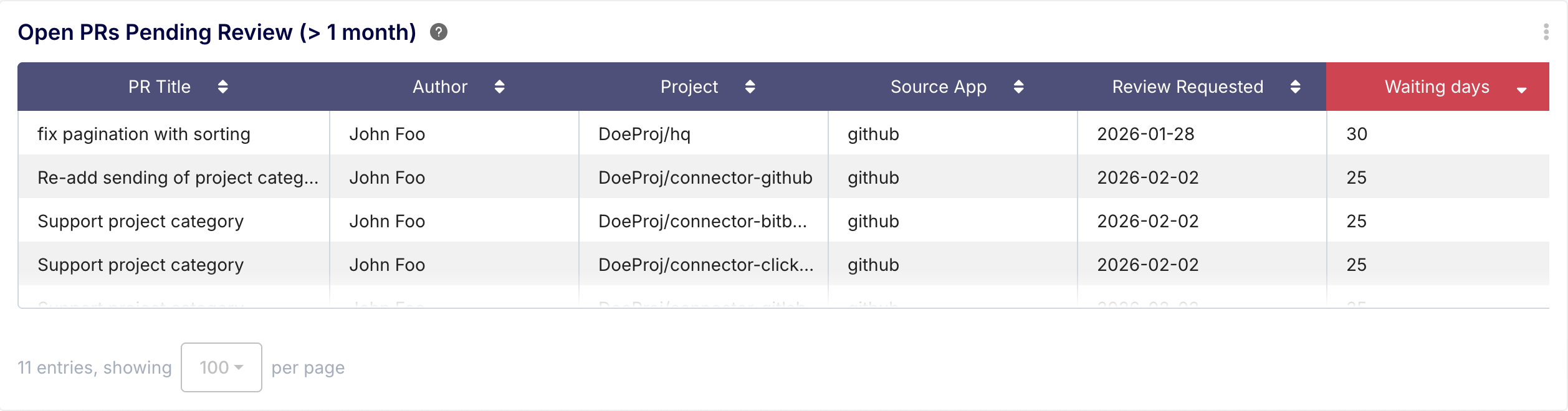
"Show me all open Pull Requests across Azure DevOps and GitHub that haven't been reviewed in the last month."
The Insight: This surfaces the "hidden" blockers. It prevents the common migration pitfall where senior engineers are overwhelmed by reviews in two different notification systems.
AI Prompt 2: The "Effort Distribution" Query
🤖 You Ask:
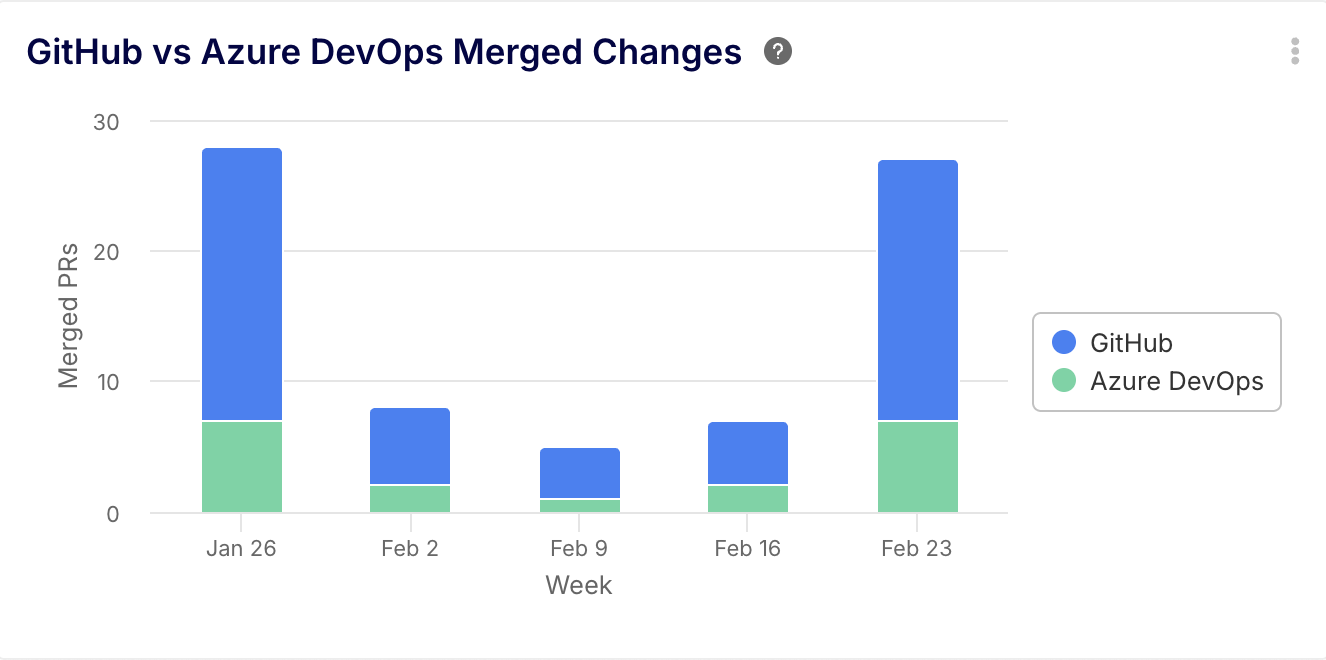
"Compare the total number of merged changes in GitHub vs Azure DevOps for the last 30 days, broken down by week."
The Insight: This is your "Migration Progress Bar." It visualizes the transition of work from the old system to the new, providing a clear timeline for when the ADO decommissioning can occur.
AI Prompt 3: The "Developer Experience" Query
🤖 You Ask:
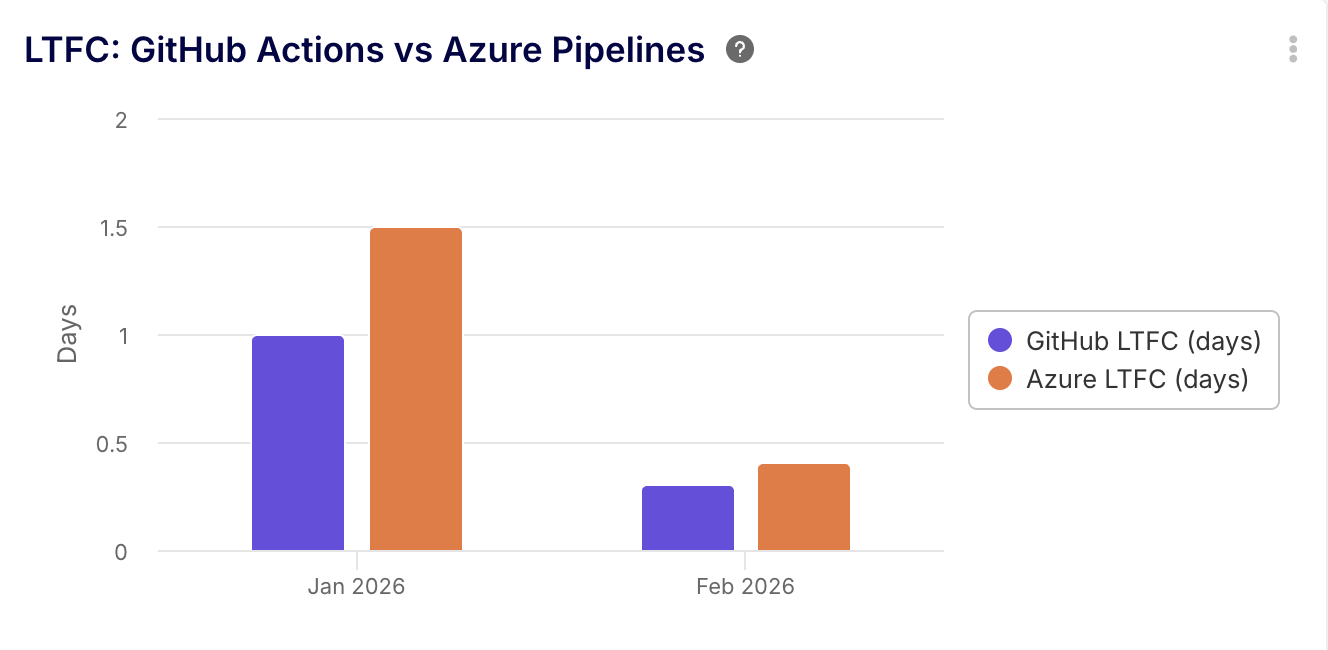
"What is the average Lead Time for Changes for teams using GitHub Actions vs teams using Azure Pipelines this quarter?"
The Insight: This validates your migration ROI. It proves (with data) that the move to GitHub is actually making the SDLC more efficient.
Conclusion: Visibility is the Antidote to Migration Friction
Migrating to GitHub shouldn't mean losing your ability to lead with data. By consolidating Azure DevOps and GitHub into a single dashboard, you ensure that your SDLC efficiency remains high even while your infrastructure is in flux.
Through the Data Hygiene Dashboard and Dataset Exploration capabilities, Keypup provides the "glue" that keeps your engineering intelligence accurate and your data integrity intact. Don't wait until the migration is over to start measuring success—start tracking the transition today.
Ready to see your hybrid environment in one view? Connect Azure DevOps and GitHub to Keypup now.